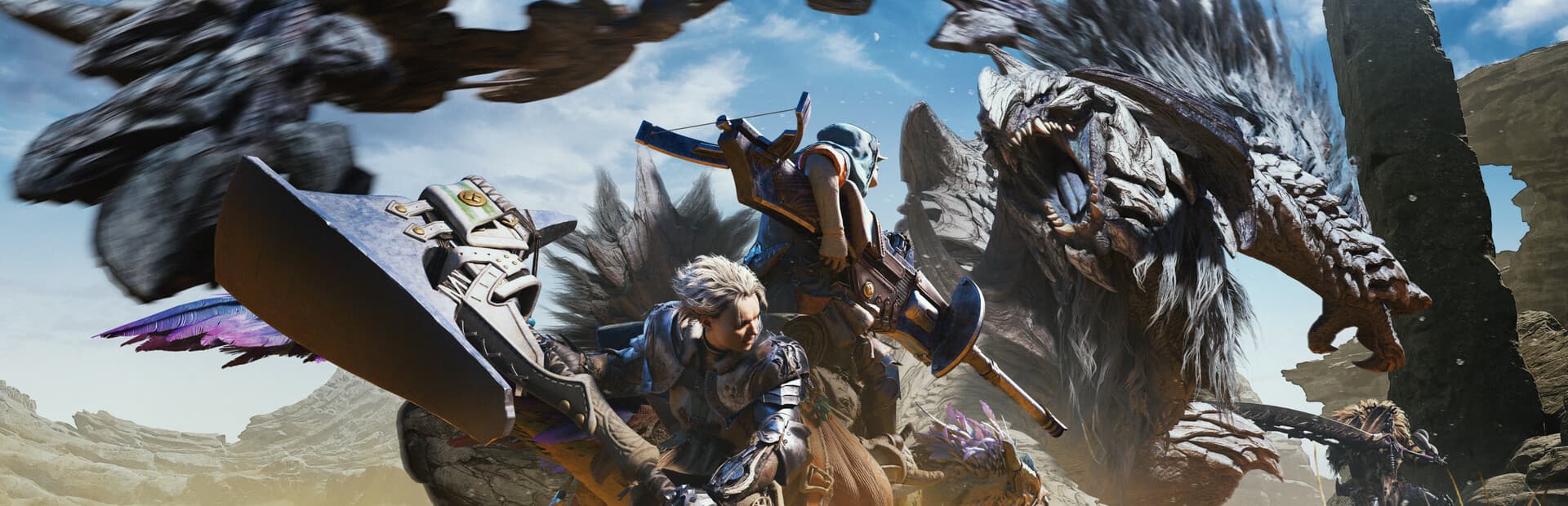
Wilds pushed RE Engine further than any Monster Hunter before it — dense crowds, ray-traced reflections, and a CPU tax the requirements table doesn’t show. Here is what actually keeps the frame rate up.
Changelog
- 2026-07-25 — Page created; calibration anchored to Title Update 2 (DLSS 4 / FSR 4 patch) and current RTX 4090 benchmark data.
Check a different build
Shopping for parts you don't own yet? Pick any CPU and GPU to see if it clears Monster Hunter Wilds.
Pick a CPU and a GPU to see if it’ll run Monster Hunter Wilds.
System requirements
Minimum
CPUIntel Core i5-10400 / Intel Core i3-12100 / AMD Ryzen 5 3600
GPUNVIDIA GeForce GTX 1660 6GB / AMD Radeon RX 5500 XT 8GB
RAM16 GB
VRAM6 GB
Storage140 GB
Notes1080p (upscaled from 720p) at 30 fps, lowest preset. SSD required.
Recommended
CPUIntel Core i5-10400 / Intel Core i3-12100 / AMD Ryzen 5 3600
GPUNVIDIA GeForce RTX 2060 SUPER 8GB / AMD Radeon RX 6600 8GB
RAM16 GB
VRAM8 GB
Storage140 GB
Notes1080p, 60 fps, medium settings. Capcom lists the same CPU for both tiers — this is a GPU-bound game at these settings.
Source: View source
FPS expectations
DLSSFSRXeSSFrame Gen
Graphics cardEst. FPS
NVIDIA GeForce RTX 5090104
NVIDIA GeForce RTX 508091
NVIDIA GeForce RTX 409080
AMD Radeon RX 9070 XT77
AMD Radeon RX 7900 XTX76
NVIDIA GeForce RTX 5070 Ti76
NVIDIA GeForce RTX 4080 Super71
NVIDIA RTX 6000 Ada Generation70
NVIDIA GeForce RTX 408070
AMD Radeon RX 7900 XT69
NVIDIA GeForce RTX 507069
AMD Radeon RX 907067
NVIDIA GeForce RTX 4070 Ti Super66
NVIDIA GeForce RTX 4070 Ti62
AMD Radeon RX 7900 GRE61
NVIDIA GeForce RTX 4070 Super59
NVIDIA GeForce RTX 308058
AMD Radeon RX 7800 XT56
NVIDIA GeForce RTX 407054
NVIDIA GeForce RTX 5060 Ti52
AMD Radeon RX 7700 XT50
NVIDIA GeForce RTX 4060 Ti 16GB47
NVIDIA GeForce RTX 506047
NVIDIA GeForce RTX 4060 Ti46
NVIDIA GeForce RTX 307045
NVIDIA RTX A400044
Intel Arc B58042
NVIDIA GeForce RTX 3060 Ti41
NVIDIA GeForce RTX 406038
Intel Arc B57038
Intel Arc A77037
AMD Radeon RX 760036
NVIDIA GeForce RTX 505034
Intel Arc A75034
NVIDIA GeForce RTX 306032
Estimated, not measured — modelled from Aggregated from DSOGaming’s benchmark analysis and Steam Community user-submitted RTX 4090 results, ultra preset, ray tracing off, native res. Early post-launch figures showed unusually wide run-to-run variance (some reports 15–20% off these numbers) tied to CPU/engine overhead in the built-in benchmark tool — treat as directional.. How we estimate FPS.
Recommended builds
1080p Budget
1080p high settings at a steady 60fps, with DLSS 4 or FSR 4 in balanced mode as headroom for crowded hubs.
1440p Sweet Spot
1440p high settings comfortably past 60fps with ray-traced reflections on — the build that doesn’t flinch in a full hub.
4K Ultra
4K ultra with ray tracing and frame generation on — smooth hunts even during the busiest multi-monster fights.
Squeeze more fps out of your build
What actually limits Wilds performance
RE Engine has handled Resident Evil and Dragon’s Dogma 2 without much drama, but Wilds asks more of it: dense hub crowds, large monster AI running simultaneously, and a living map that keeps simulating off-screen. That overhead shows up as a CPU tax most requirement tables don’t capture — a fast GPU alone won’t fix a stutter in a crowded hub.
Ray-traced reflections on water and metallic surfaces are optional and cost only about 7–8% average frame rate, which is modest by RT standards. It is worth leaving on for most GPUs in our sweet-spot tier and above.
VRAM and the "why is my card struggling" problem
Capcom’s own tiers ask for 6GB at minimum and 8GB at recommended, and that tracks with what we see in practice: 8GB is comfortable at 1080p-1440p high, but texture pool and crowd density push usage up quickly at ultra settings or 4K. If you’re shopping in the 8GB-or-16GB range for this game specifically, take the 16GB card.
The upscaler situation
Wilds shipped with DLSS, FSR, and XeSS 1.3, and Title Update 2 added NVIDIA DLSS 4 and AMD FSR 4 upscaling plus Multi Frame Generation (with an Auto mode that toggles frame gen on load). Upscaling and frame generation are independent settings, so you can mix vendors — DLSS for upscaling with FSR frame generation, for instance.
Frequently asked questions
How much VRAM does Monster Hunter Wilds need?
8GB covers 1080p-1440p at high settings comfortably. If you’re deciding between an 8GB and 16GB card at a similar price, the crowd-heavy hub areas make the 16GB card the safer buy for ultra settings.
Is Monster Hunter Wilds CPU-heavy?
Moderately — dense hub areas and large monster fights push the CPU harder than the requirements table suggests. A modern 6-core CPU handles it fine; older quad-cores are where you’ll see stutters regardless of GPU.
Does ray tracing matter in Wilds?
It’s a relatively cheap toggle (about 7–8% average FPS) that improves water and metal reflections. Worth enabling on anything from our sweet-spot tier up; skip it on budget cards where every frame counts more.